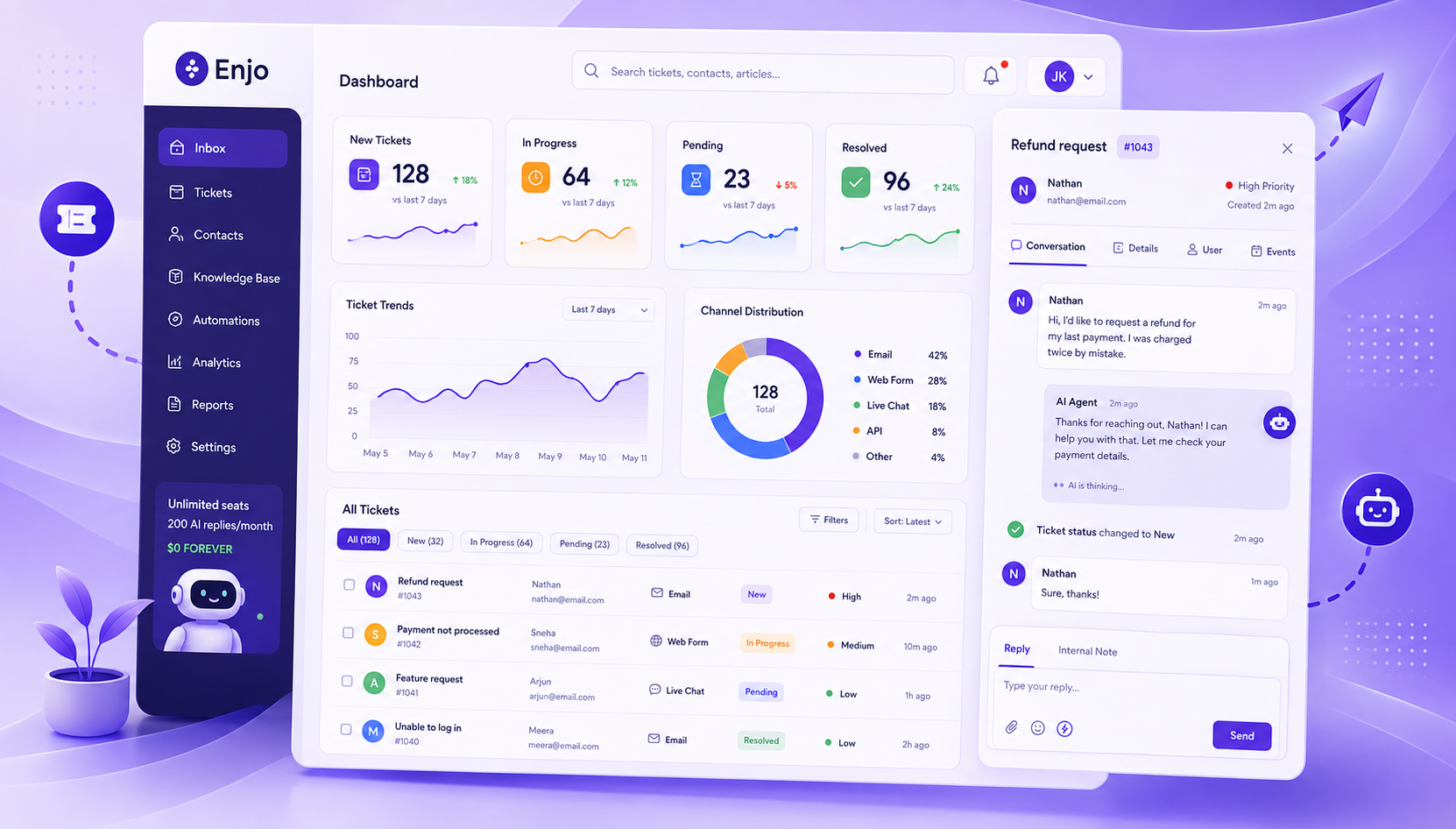
10 Best Free Customer Service Software in 2026 (Ranked & Compared)
If you're searching for the best free customer service software in 2026, you're really asking one simple question: which tool is actually free, and which one quietly stops being free the moment your team grows?
Here's the truth: "free" has become one of the biggest growth traps in the support software market. Almost every top-tier help desk advertises a "Free Forever" plan, but the moment you add a third agent, you're pushed into a per-seat subscription that can cost thousands per year.
We call this the Growth Tax, the hidden penalty SaaS tools charge you for scaling your team.
This guide cuts through the noise. We've ranked the 10 best free customer service software options in 2026 based on one critical question: which tools actually let you scale your team without scaling your bill?
To answer it, we draw a clear line between tools that charge for people (agents) and tools that charge for automation (AI work). It's a distinction that matters more than ever, Gartner predicts agentic AI will autonomously resolve 80% of common customer service issues by 2029, meaning the smartest investment isn't another seat license, it's software that does the work for you.
The trap looks the same whether the tool is marketed as a customer support platform or customer support software, the per-seat math doesn't change based on the label.

Watch: Why Support Costs Keep Climbing (And How to Stop It)
What is Free Customer Service Software?
Free customer service software is any tool that lets you manage customer conversations, tickets, or support interactions at zero cost, typically through a "Free Forever" plan or an extended free tier. These tools usually bundle core capabilities like live chat, a shared inbox, basic ticketing, and simple chatbot or AI automation, so small teams can launch support right from their website without committing to a paid plan on day one.In plain terms: it's the entry-level layer of the support stack, enough to get started, not always enough to scale. Some vendors position the identical product as a customer support platform, others call it customer support software. The free-tier trade-offs, seat caps, feature gates, volume limits, don't change based on which label the vendor uses. But "free" almost always comes with fine print. The most common limitations you'll run into are:
- User seats: A cap on how many agents can use the platform, often just 2-3
- Feature caps: Advanced capabilities like multi-step AI workflows, deeper integrations, automation rules, and detailed analytics are locked behind paid plans
- Volume thresholds: A monthly limit on contacts, conversations, tickets, or resolutions
- Branding: The vendor's logo or a "Powered by [X]" badge stays visible on your chat widget or help center
- Channel limits: Free plans often restrict you to one or two channels (usually live chat + email), with voice, SMS, and social locked behind paid tiers
Despite these trade-offs, free customer service software is an excellent starting point for startups and growing SMBs. It lets you deploy foundational support automation, learn how your customers behave, and prove ROI, before you commit budget to a paid plan.
Free Forever vs. Free Trial: Why the Difference Matters?
A website chatbot acts as a first line of defense for support and a proactive sales assistant. They are essential for providing timely responses when human agents are unavailable.
Key capabilities of a website chatbot:
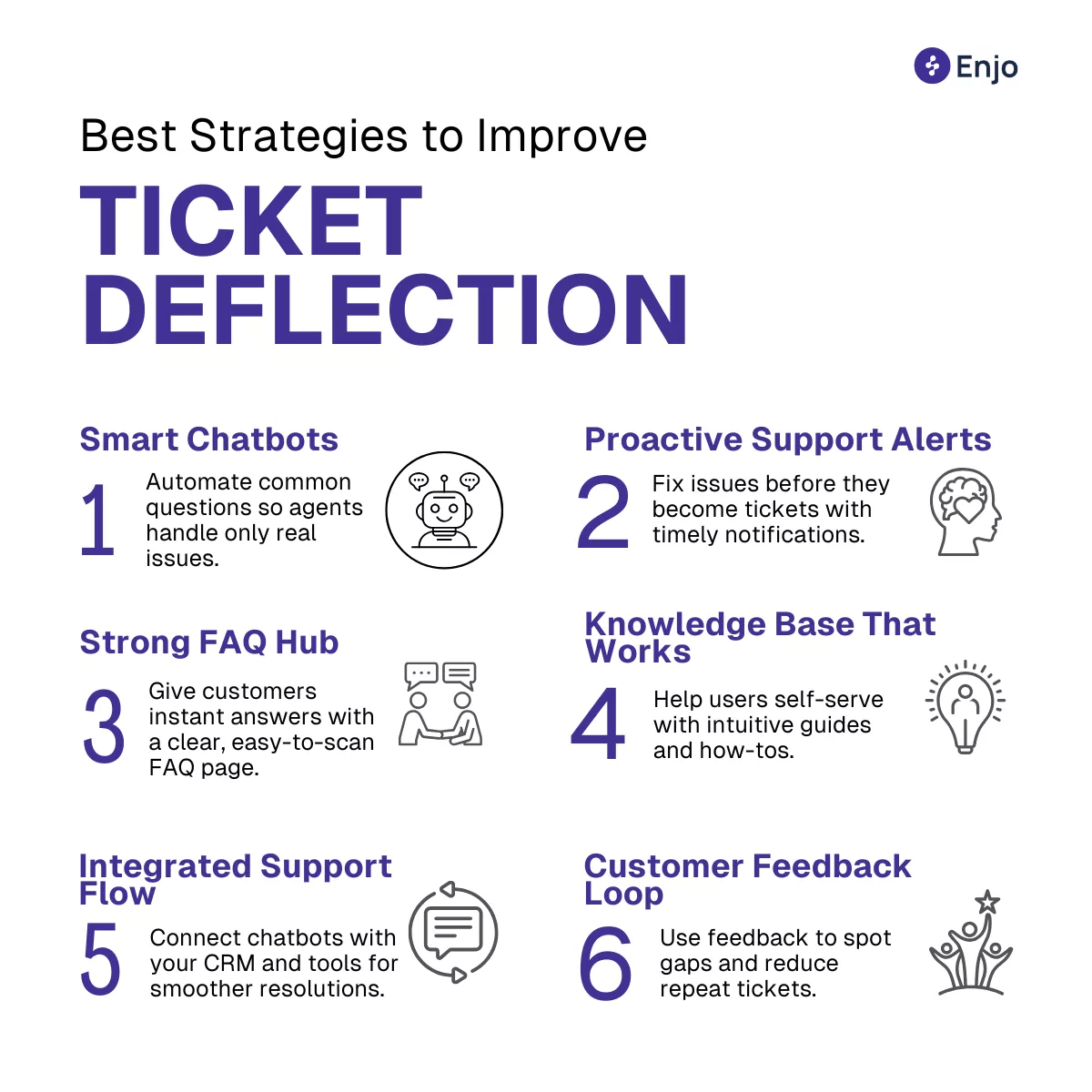
- Deflecting FAQs (First-Line Support): Chatbots answer routine, high-volume questions instantly. This frees up human agents to focus on complex, high-priority issues.
- Lead Capture and Qualification: They proactively engage visitors and collect contact information. The bot can qualify leads based on answers, passing high-value prospects directly to a sales team.
- 24/7 Availability: Chatbots never sleep or take breaks. They ensure customers can always find an answer, regardless of time zone.
- Contextual Greeting and Navigation: Bots can greet visitors based on the page they are viewing. They can guide the user to relevant documentation or product pages.
- Ticket Creation and Escalation: When a bot cannot resolve an issue, it collects all necessary context. It then creates a pre-populated ticket in a help desk system like Jira or Zendesk for human follow-up.
List of 10 Best Free Customer Service Software
1. Enjo: Best for Unlimited Team Growth & AI Automation
Enjo is the only platform on this list built around a modern pricing philosophy: you should never pay for agent seats, only for the work you automate. The free plan gives you unlimited human collaborators across Support, Sales, IT, Ops, or Engineering, making it the most scalable entry point for teams that work cross-functionally.Where Enjo stands out is not just seats, it’s the Unified Conversational Inbox.
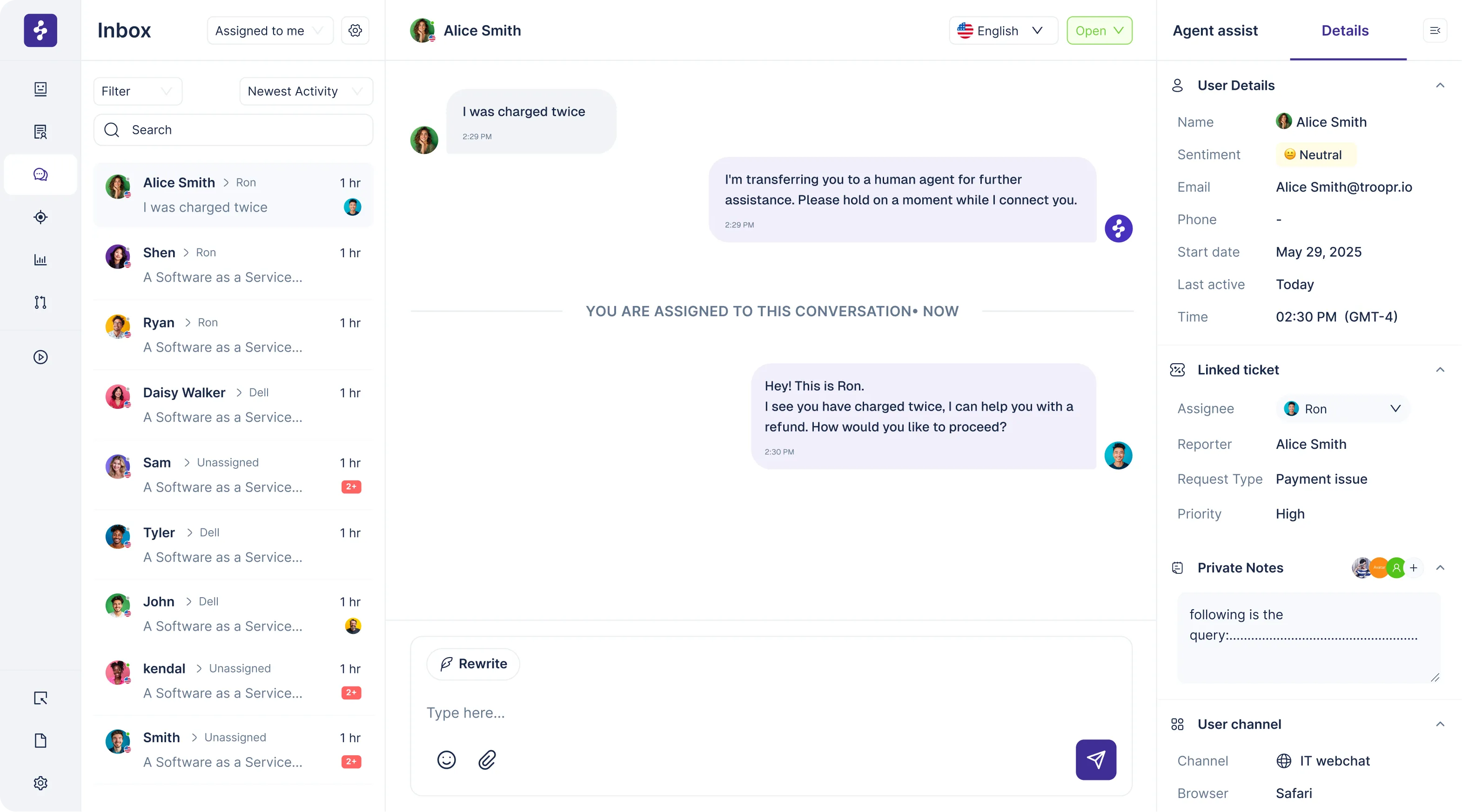
Unlike legacy help desks that still revolve around email, Enjo consolidates your live channels into one place: website chat, Slack, Microsoft Teams, and internal support channels. This allows teams to coordinate and resolve issues from the tools they already use, without forcing everything through email-based ticketing.
- Free Plan Limit: Unlimited human agents + 1 cross-channel AI Agent; 1 Admin/Manager role on free tier
- Pros:
- Unlimited seats removes the “Growth Tax” completely.
- Unified Inbox centralizes real-time conversations across Slack, Teams, and your website chat.
- 1 free AI Agent that resolves FAQs and assists your human team using your knowledge base.
- Proactive web chat: the widget ships with a chat launcher, auto pop-ups with delay controls, welcome screens, and pre-chat contact forms.
- Takes actions mid-chat: through AI Actions, the agent can look up an order in Salesforce or create a Jira ticket without leaving the conversation.
- Escalation with full context: when AI can't finish, escalation rules hand the chat to Enjo Inbox or your existing helpdesk with the whole transcript attached.
- Agent Assist for humans: once a chat lands with a human, Enjo surfaces suggested replies from past conversations, Jira tickets, Slack threads, Confluence, and Notion.
- 100+ languages: AI Agents, Inbox, and the Help Center all operate in multiple languages.
- Cons:
- Additional admin/manager roles and advanced agentic workflows require upgrading.
- No native voice, SMS, WhatsApp, or social channels. A B2C brand fielding phone calls and Instagram DMs should pick Zendesk or Freshdesk instead.
- Best For: Modern support teams that collaborate in Slack/Teams, want real-time support operations, and refuse to pay per-seat fees just to grow.
- Pricing: Free forever. Paid starts at $95/month flat for 1,000 AI Replies; additional replies beyond plan allowance cost $0.05 each. An AI Reply is one interaction with Enjo AI: understanding the request, responding using approved knowledge, taking actions in connected systems if needed, and escalating with full context when appropriate.
2. Zoho Desk: Best for Ticketing Inside the Zoho Ecosystem
Zoho Desk pairs a genuine free-forever plan with tight links to the wider Zoho suite, so customer context sits next to every ticket without extra setup.
- Free Plan Limit: 3 agents; email ticketing, a private knowledge base, and a help center
- Pros:
- Free-forever plan for up to 3 agents, not a countdown trial.
- Email-to-ticket conversion with basic SLAs and workflow rules.
- Native Zoho CRM link shares customer history across the suite.
- Cons:
- Live chat and the Zia AI assistant sit on higher paid tiers.
- The interface has a learning curve for teams new to Zoho.
- Best For: Small teams already using Zoho apps that want free ticketing with room to grow.
- Pricing: Express at $7/agent/month, Standard at $14/agent/month, Professional at $23/agent/month, Enterprise at $40/agent/month, all billed annually. Live chat and the Zia AI assistant require Enterprise. 15-day free trial, no credit card. Source: zoho.com/desk/pricing.html (direct fetch returned this session's INR-localized figures, cross-verified against multiple independent US-pricing sources for the USD figures above), fetched July 2026.
3. HubSpot Service Hub: Best for Teams Already on HubSpot CRM
HubSpot includes support tools in its free tier, writing every conversation straight into the same CRM record your sales and marketing teams use.
- Free Plan Limit: Ticketing, live chat, a shared inbox, and basic bots, with HubSpot branding
- Pros:
- Free tools include a shared inbox, ticketing, and live chat.
- Every chat and ticket attaches automatically to the contact record.
- Basic chatbots route conversations without code.
- Cons:
- Serious automation and the Breeze AI agent sit behind Professional tiers plus credit-metered usage.
- The step up from free tools to paid tiers is steep for small teams.
- Best For: Teams already on HubSpot CRM that want support, contacts, and deals in one system.
- Pricing: Starter at $15/seat/month, Professional at $90/seat/month (plus a one-time $1,500 onboarding fee), Enterprise at $150/seat/month (plus a one-time $3,500 onboarding fee, 10-seat minimum), all billed annually. Breeze, HubSpot's AI agent, is available on Professional and Enterprise and bills roughly $0.50 per resolved conversation above the bundled credit allowance
4. LiveAgent: Best for Single-Agent Chat
LiveAgent is a traditional support suite that offers a very basic, but functional, free plan.
- Free Plan Limit: Max 1 Agent
- Pros: Allows for one email address and one chat button on the free plan. Good if you are literally a one-person support operation.
- Cons: The dealbreaker is that it only retains 7 days of ticket history. This is insufficient for auditing, compliance, and ongoing customer support, rendering the plan impractical for real business use.
- Best For: Individuals who need a temporary, basic ticketing system only.
- Pricing: Paid tiers run $15 to $69 per agent per month, billed annually (Small to Enterprise).
5. Jira Service Management: Best for IT & Internal Dev Ops
JSM is built by Atlassian for technical support, and it is optimized for internal IT and linking customer issues to development work.
- Free Plan Limit: Max 3 Agents
- Pros: Best-in-class integration with Jira Software. Perfect for internal IT support (e.g., "I need a new laptop") and bug tracking, as tickets can easily become a developer's task.
- Cons: Highly restrictive 3-agent cap. The system is too complex and overly technical for managing external, customer-facing support channels like website chat or social media.
- Best For: Internal IT departments or DevOps teams managing employee requests.
6. Crisp: For Basic Live Chat
Crisp offers a simple, modern approach focused almost entirely on the live chat experience.

- Free Plan Limit: Max 2 Agents
- Pricing: (new) Paid tiers, billed per workspace: Mini at $45/month (4 seats), Essentials at $95/month (10 seats), Plus at $295/month (20+ seats, additional seats $10/agent/month). AI credits are bundled per tier rather than metered separately. 14-day free trial on all paid plans, no card required. Source: crisp.chat/en/pricing, fetched July 2026.
- Pros: The live chat widget is modern, clean, and looks great on any website. Installation is straightforward.
- Cons: The free plan is extremely basic. It locks away critical features like advanced reporting, chatbots, and most integrations behind an immediate paid tier.
- Best For: Teams of two or less who only need a clean chat widget and have zero need for ticketing or reporting.
7. Tidio: For Low-Volume Lead Capture
Tidio is popular for its easy-to-install chat widget, but is functionally limited as a true customer support platform.
- Free Plan Limit: Max 50 Conversations/Month
- Pricing: Starter at $24.17/month (annual billing, 100 conversations), Growth starting at $49.17/month (annual billing, from 250 conversations). Lyro AI and Flows are billed as separate add-ons, starting at $32.50/month and $24.17/month respectively. 7-day free trial, no credit card. Source: tidio.com/pricing, fetched July 2026.
- Pros: A highly effective, attractive chat widget for lead generation.
- Cons: The cap of 50 conversations per month is extremely low and makes it unsustainable for any active business. It is optimized as a marketing tool to capture leads, not a customer support tool to resolve issues.
- Best For: Marketing teams who need to capture leads from their website, not support teams managing ongoing cases.
8. Freshdesk: Best for Multichannel Ticketing on a Budget
Freshdesk offers a free program for very small teams, though it is time-limited rather than free-forever, which matters if you plan to stay on it.
- Free Plan Limit: Up to 2 agents free for 6 months, then paid; a separate 14-day trial unlocks full features
- Pros:
- Email ticketing, a shared inbox, and a knowledge base in the free program.
- Basic reporting and collaboration tools included.
- Clean setup and a familiar agent interface.
- Cons:
- The free program expires after 6 months, so it is not a permanent free plan.
- Freddy AI and advanced automation sit on paid tiers.
- Best For: Small teams that want multichannel ticketing and expect to move to a paid plan.
9. Zendesk: For Enterprise-Grade Trial
Zendesk is the gold standard for enterprise-level support and is included here because of its search volume, but it's important to be clear:
- Free Plan Limit: None (Trial Only). 14-day free trial defaults to Suite Professional features.
- Pricing: Support Team at $19/agent/month for email-only ticketing. Live chat and omnichannel features require the Suite line: Suite Team at $55/agent/month, Suite Professional at $115/agent/month, both billed annually. Suite Enterprise + Copilot is quote-only. Add-ons (Copilot, Workforce Engagement, Contact Center) are each $50/agent/month on top. Source: zendesk.com/in/pricing, fetched July 2026.
- Pros: The most feature-rich, scalable, and customizable platform for complex, global support operations. Massive integration ecosystem.
- Cons: Does not offer a free-forever plan. You must commit to a paid plan immediately after the trial ends, making it the highest-cost choice on this list.
- Best For: Large corporations or established businesses with thousands of support agents.
10. Intercom: Best for Proactive Messaging Trial
Intercom is focused on targeted, proactive customer communication and has a massive price tag to match.
- Free Plan Limit: None (Trial Only)
- Pros: Best-in-class features for proactive customer messaging and targeted outbound communication, ideal for onboarding and customer success.
- Cons: Does not offer a free-forever plan. It is primarily focused on marketing and sales engagement, leading to incredibly high pricing that is usually prohibitive for small to medium-sized support teams.
- Best For: Customer success teams with a large budget focused on proactive user education.
"Free customer service software" overlaps with three adjacent searches, and the distinction decides which tool fits. Free help desk software centers on agent workflows and ticket queues, which is where Jira Service Management and LiveAgent land. A free ticketing system is narrower, focused on capturing and tracking requests, though free tiers often cap history or agents. Free knowledge base software powers self-service deflection, letting customers answer their own questions before they open a ticket. If website chat is the channel you actually need to cover, our ranking of the best live chat software prices all ten tools from each vendor's own page.
The strongest free stacks combine all three: a ticket inbox, a knowledge base for deflection, and an AI layer that resolves repeat questions. That is the model behind customer service automation, and it is why teams increasingly evaluate AI support agents alongside a traditional help desk.
Evaluation Criteria
Choosing the best free tool means looking beyond the price tag. The best solution is the one that minimizes friction and maximizes future scaling potential. Use the following criteria to evaluate any free customer service software:
Key Takeaways
Adopting free customer service software requires a strategic approach. It is not a permanent solution for enterprise scale, but a powerful starting point.
The primary goal of a free AI chatbot is deflection. Focus on automating the 80% of repetitive questions that takes up your agent’s time. Treat the free software as a pilot program. Use it to prove the value of automation.
Choose a platform that offers a smooth upgrade path. If a tool works well at the free tier, its paid version should offer the advanced features you need for scaling (e.g., granular user permissions, multi-step agentic workflows, guaranteed uptime).
Finally, always prioritize the customer experience. A poorly configured bot is worse than no bot. Start small with simple FAQs, ensure seamless human handoff, and monitor performance closely.
Final Verdict: Stop Paying for People, Start Paying for Work
The real shift in 2026 isn’t about which tool has the nicest widget or the biggest free plan, it’s about the underlying economics of support. Older platforms still charge by the human seat, which means the moment your team grows, your costs spike. That’s the Growth Tax. Modern platforms flip the model by keeping humans free and charging only when the software actually does work for you through automation.
The question is simple: do you want a system that penalizes you for adding collaborators, or one that scales with the volume of work you automate? If your team relies on channels like Slack, web chat, or email and you refuse to pay per head, choose a platform built for unlimited human participation and pay only for the AI that resolves real customer issues. That's the model built for the next decade of support.
Frequently Asked Questions
Is there a truly free customer service software?
Yes. Platforms like Enjo, HubSpot Service Hub, Freshdesk, Zoho Desk, and Tidio offer "Free Forever" plans with no trial expiration. The most scalable options charge for AI automation, not per-agent seats, so your team can grow without triggering hidden costs.
Does Zendesk have a free plan?
No. Zendesk only offers a 14-day free trial in 2026, with paid plans starting at $19 per agent per month. It's one of the more expensive options for teams searching for free customer service software.
Can free customer service software scale with a growing team?
Only if the pricing model supports it. Free plans that charge per-agent seat hit a paywall the moment you add a third or fourth teammate, the Growth Tax. Tools that charge for AI work instead of people scale without penalizing team growth.
What's the difference between a free plan and a free trial?
A free plan (often called "Free Forever") lets you use the software indefinitely with feature or volume limits. A free trial gives full access to a paid tier for 7-14 days, after which you must upgrade or lose access. For long-term use, go with a free plan; for testing enterprise features, a trial is better.
How do I choose the best free customer service software?
Evaluate on five criteria: ease of setup, integrations with your existing stack, how smoothly the tool escalates from AI to a human agent, which caps (seats, features, volume) you'll hit first, and whether paid tiers charge per seat or per AI resolution. The last one matters most, it determines whether your costs scale with hiring or with success.
Is free customer service software really free, or does it have hidden costs?
Genuine free-forever plans exist, but the "hidden cost" is almost always a cap you discover after signing up, not a bait-and-switch. Tidio's free plan caps out at 50 conversations a month, and Zoho Desk's free tier holds at 3 agents. The tools on this list that stay free indefinitely, like Enjo, Zoho Desk, and HubSpot Service Hub, are upfront about exactly where their limits sit.
What features should I expect from a free plan?
Most free plans include a ticketing system, email integration, basic live chat, and a simple knowledge base. Advanced capabilities like AI automation workflows, custom analytics, or deeper third-party integrations typically sit behind a paid upgrade, though the size of that gap varies widely by vendor.
What is the best free customer service software for small businesses?
It depends on team size and existing tools more than any single "best" answer. Enjo fits small teams that expect to grow past 2-3 agents without hitting a per-seat paywall. Zoho Desk suits teams already inside the Zoho ecosystem, and HubSpot Service Hub fits teams that already run HubSpot CRM and want support data in the same record. Whichever you pick, evaluate it as a full customer support platform, not just a ticketing tool, since the free tier's real limits show up in the workflows, not the price tag.
What are the main limitations of free customer service software?
Free plans typically cap one or more of five things: user seats, advanced features like automation and analytics, monthly conversation or ticket volume, vendor branding on your widget or help center, and the number of channels you can connect. Which limitation matters most depends on whether your bottleneck is team size, message volume, or channel coverage.
Can free customer service software handle multiple channels like email, chat, and social media?
It depends on the tool. Zendesk and Freshdesk support broader multichannel coverage, including social and voice, once you're on a paid plan. Enjo covers Slack, Microsoft Teams, email, and web chat, but has no native voice, SMS, WhatsApp, or social channel support, so a B2C brand fielding phone calls and Instagram DMs is better served by Zendesk or Freshdesk.